
Sending a request
Pick a request in the project tree, or create one with the plus button. Press Send, or ⌘ ↵.
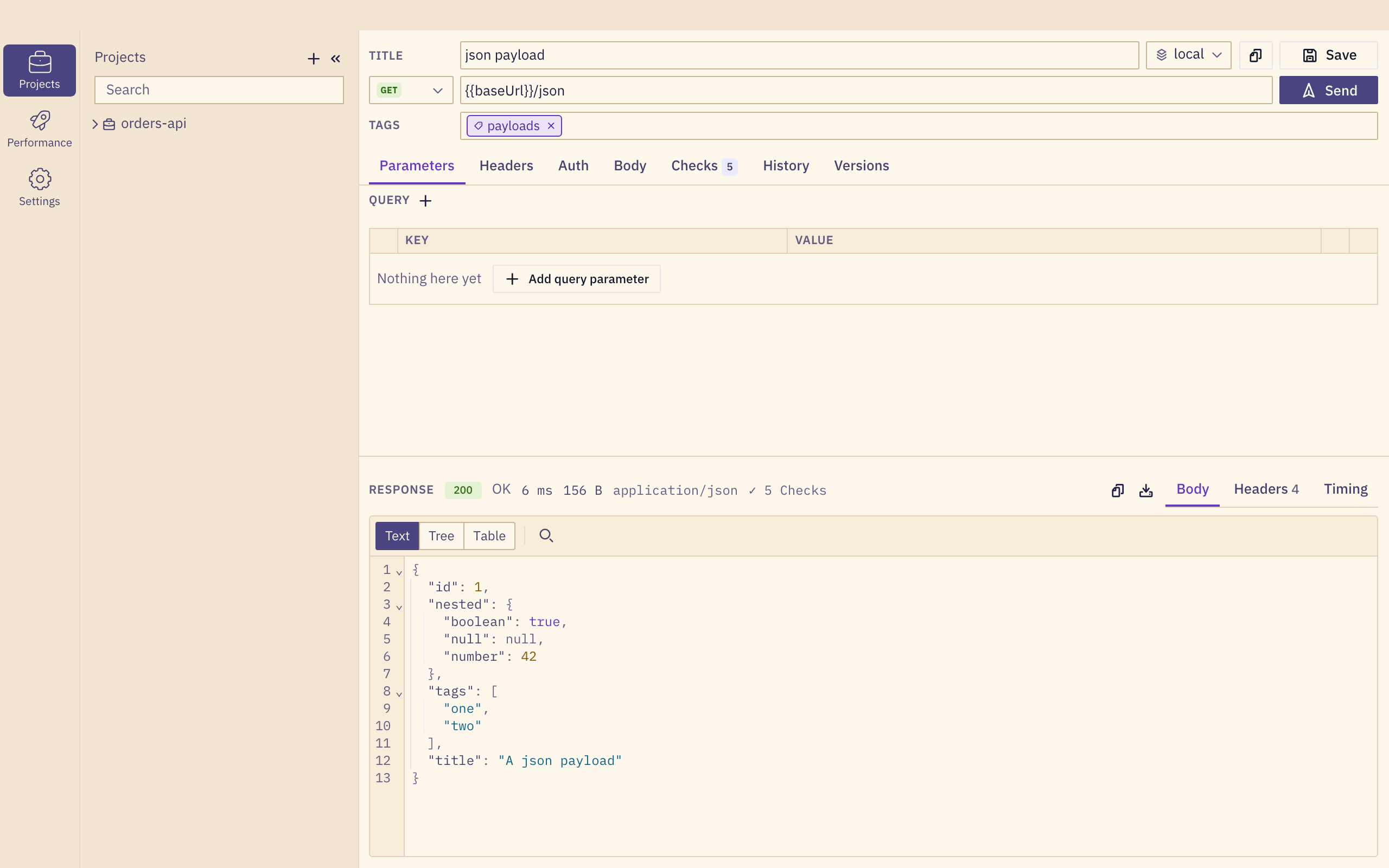
The request
- Method and URL. Variables in double braces, such as
{{baseUrl}}, come from the active environment. - Parameters. Query and path parameters, each with a switch to leave it out without deleting it.
- Headers and Body: JSON, XML, text, URL-encoded form and multipart bodies.
- Auth: basic, bearer token, API key in a header or the query, and OAuth client credentials.
- Checks and captures, described in Checks & captures.
The response
The status, duration, size and content type sit in one line above the body. The body opens as text, a tree or a table, and Timing breaks the duration down.
History and versions
History lists every response this request received on this machine, and two of them can be compared. History is local and never shared. Versions lists the git commits that changed the request, once its project is shared through git.
cURL
Paste a cURL command to create a request from it, or copy any request out as cURL. Postman collections, OpenAPI specs and HAR files are covered in Importing from Postman.