Build a request once.
Use it everywhere.
gurl is a free desktop API client. The request you build is the one your benchmark fires, your outage watch samples, your team pulls from git and your pipeline runs, byte for byte. Everything stays on your machine, with no account.
- Send · ⌘↵
- GET {{baseUrl}}/json
- 200 OK · 4 ms · 5 checks passed
- push orders-api.gurl.json · secrets held back
- clone
- gurl-run -tag items
- 7 passed, 0 failed
A client for the API you work on all day.
Methods, params, headers, JSON and multipart bodies, basic, bearer, API key and OAuth client credentials. Environments swap {{baseUrl}} in one place. Checks assert on the status, the body or the timing, and captures carry a value from one response into the next request.
Coming from Postman? Import a collection, an OpenAPI spec or a HAR file into a project, or paste a cURL command. A built-in mock server replays what your requests last answered.
Sending a request Importing from Postman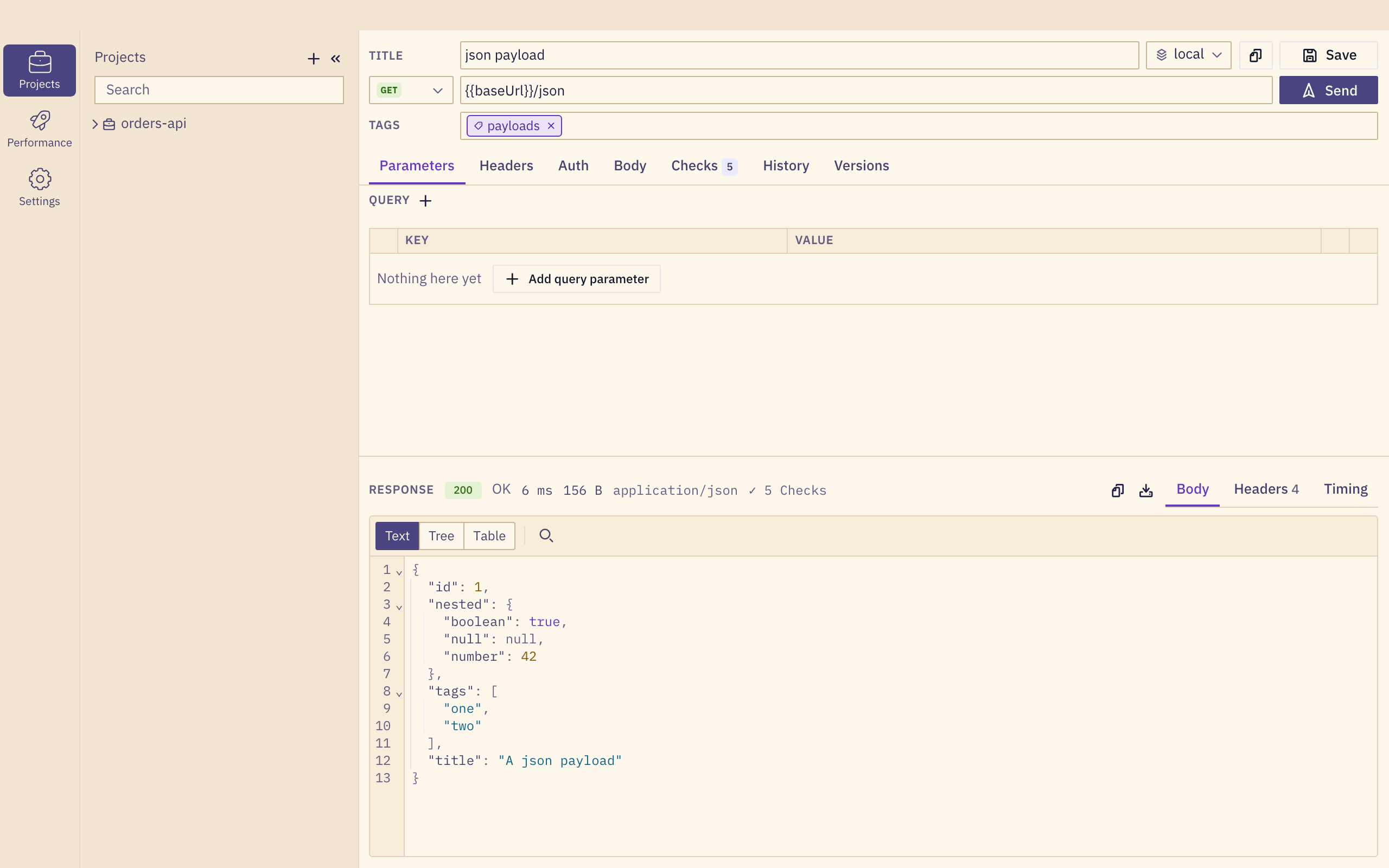
Know exactly how long it was down.
Tuning high availability? Keep a watch running while you pull a node, fail over the database or roll out a release. gurl samples a request on a fixed interval with a short timeout and logs every outage from its first failed sample to its last, with the reason.
Afterwards you know what each failover actually cost your clients, measured rather than guessed, and how precisely gurl could measure it. Change the setup, run it again, compare.
- down
- 07:49:14 → 07:49:21
- duration
- 7.3 s
- sampled every
- 250 ms
- reason
- connect: connection refused
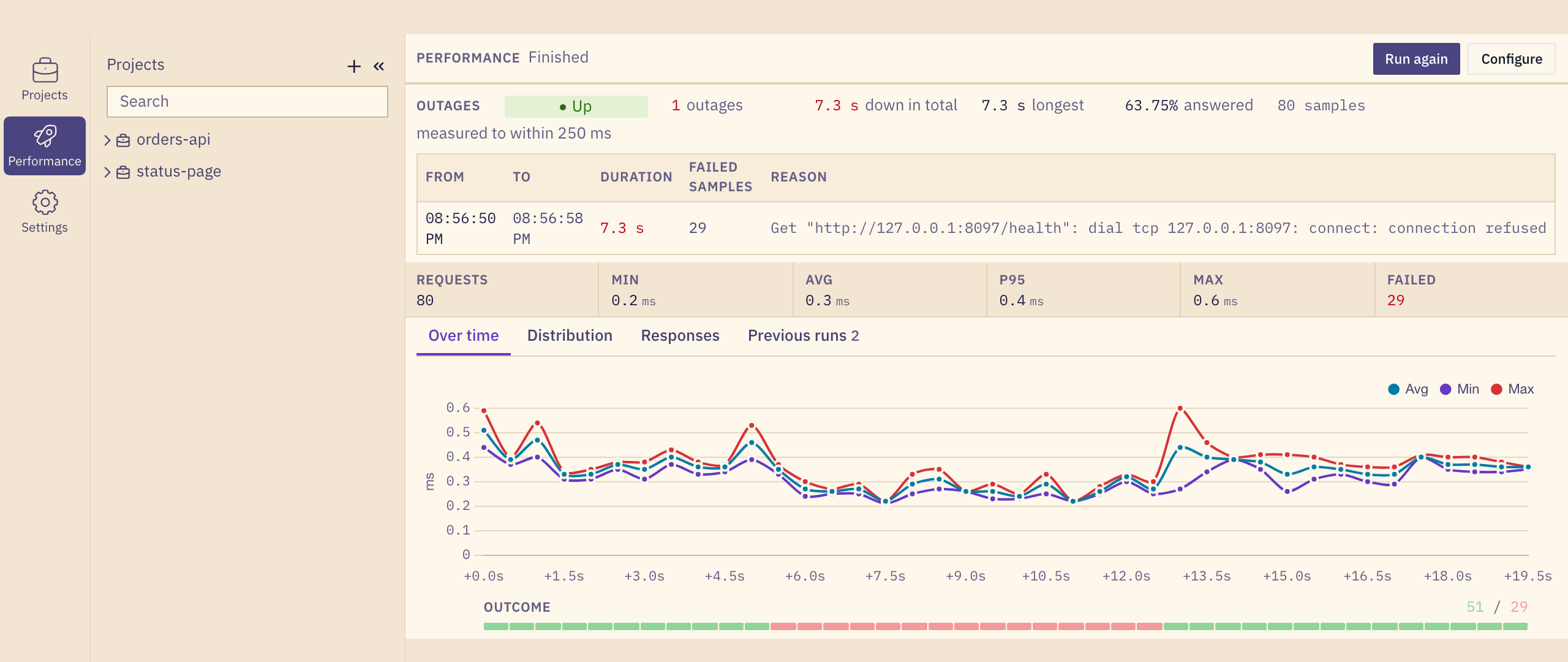
/health every 250 ms.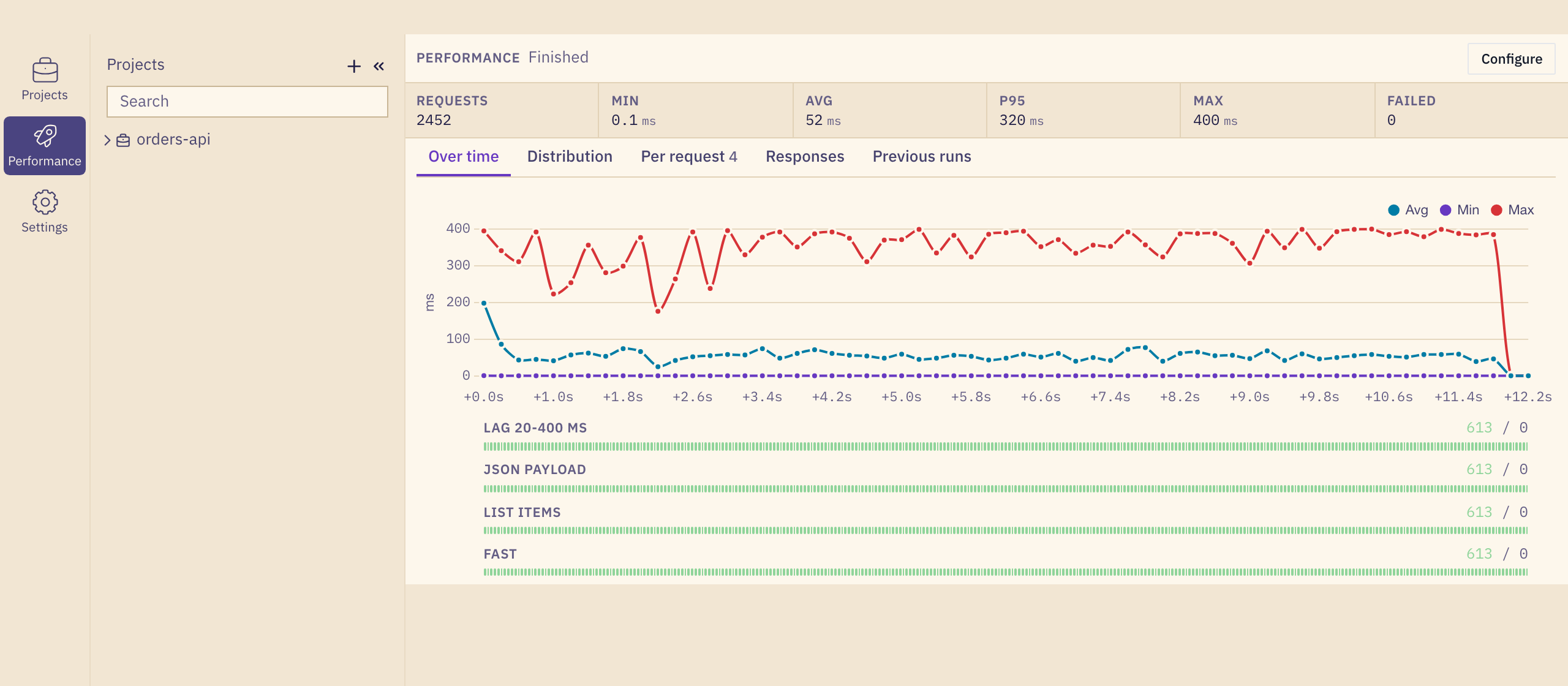
Load-test the same request you just debugged.
Pick requests from your projects and fire them at a fixed load, a ramp or a rate. One converter shapes the wire format for a single Send, a benchmark and a CI run, so you are measuring your request, not a lookalike.
Results stream in while the run is going. Durations are kept to a tenth of a millisecond below 2 ms, so a fast local API still has a distribution, and the run never slows down to measure itself.
BenchmarksShare a project through git, not through an account.
A project is one readable JSON document in its own working copy. Pull brings in what the team changed, push writes it out and sends it, and every request keeps its git history. Your own git does the work, with your keys and your credential helper.
Secrets do not travel. The shape does: a colleague gets the header, the auth scheme and the variable name, then fills in the value on their machine. A conflict is never resolved silently; your side is kept beside the original.
Sharing through git"title": "bearer auth",
"endpoint": "{{baseUrl}}/auth/bearer",
"authType": "bearer",
"authToken": "{{token}}",
…
"key": "token",
"secret": true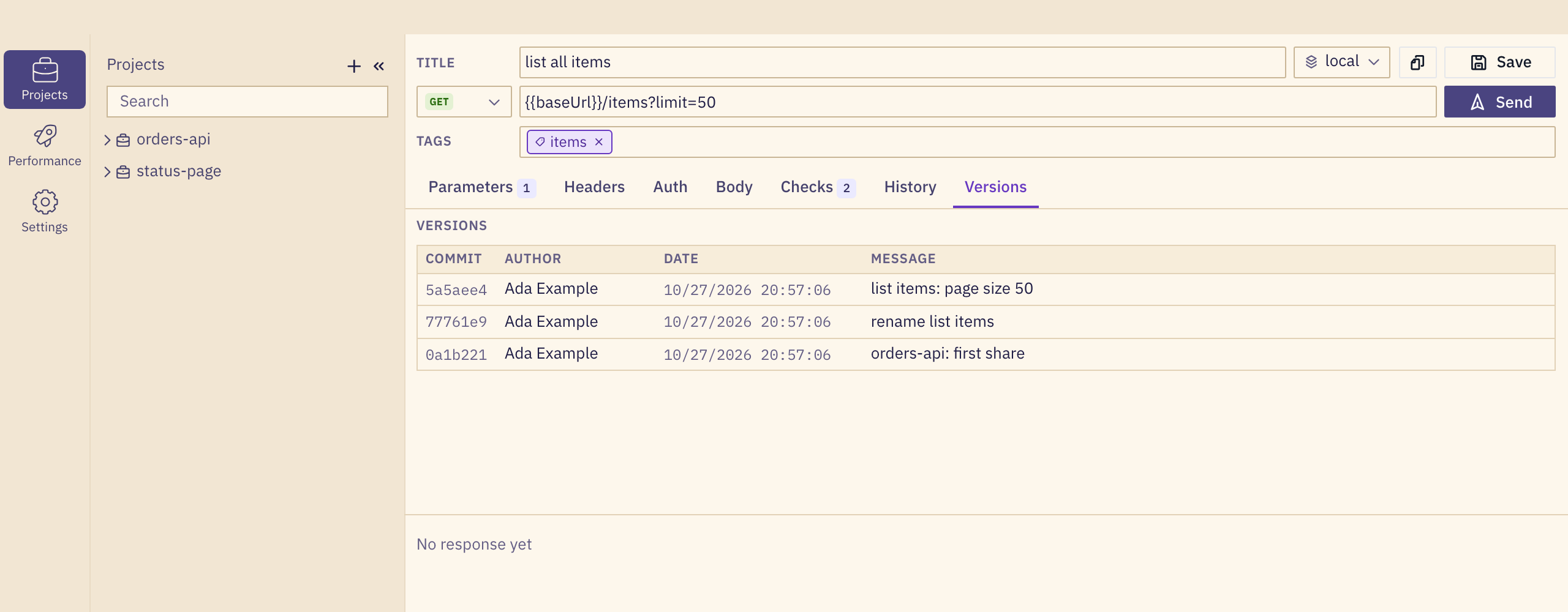
The same documents run in your pipeline.
gurl-run reads the repository your team already shares and runs it by project or tag, with variables from the command line. Every check you wrote in the app is a check in CI. It exits non-zero when one fails.
PASS  POST   create an item                           201     2ms  http://127.0.0.1:8099/items
PASS  DELETE delete an item                           204     0ms  http://127.0.0.1:8099/items/{id}
PASS  GET    list all items                           200     0ms  http://127.0.0.1:8099/items?limit=50
PASS  PATCH  patch an item                            200     0ms  http://127.0.0.1:8099/items/{id}
PASS  GET    read a missing item                      404     0ms  http://127.0.0.1:8099/items/{id}
PASS  GET    read one item                            200     0ms  http://127.0.0.1:8099/items/{id}
PASS  PUT    replace an item                          200     0ms  http://127.0.0.1:8099/items/{id}

7 passed, 0 failedYours, on your machine.
- No account
- Nothing to sign up for and nothing in a cloud. Your projects and history live in a SQLite file in your user folder.
- Small and native
- Built with Go and the system webview, not a bundled browser. One app for macOS, Linux and Windows, in a light and a dark theme.
- Made for all-day use
- A command palette on ⌘K, resizable panels, a dense layout that stays put, and history that never leaves the machine.
Download gurl 0.1.0
Free. Pick the package for your system.
macOS only, from the Terminal: curl -fsSL https://gurldesk.com/install.sh | sh installs the same app as the .dmg above, without the first-launch prompt.
These builds are not signed yet, so macOS and Windows ask you to confirm the first launch. Installation walks through it. Check a download against its SHA-256 checksum.